[TIP] Google Docs 에 Code Blocks
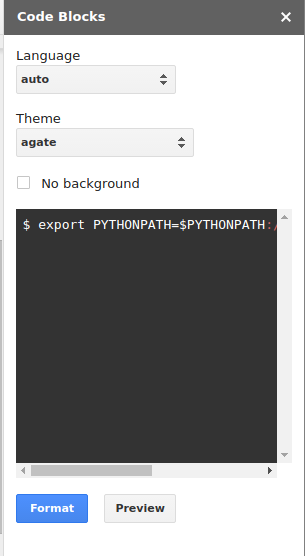
구글 Docs에 올인!해서 진짜 머릿속에 든건 다 때려써넣는데 그동안 왜 구글 Docs에 코드블럭을 넣을 생각을 못했을까요? 블로그에서는 많이들 하니까 제일 먼저 방법을 찾아서 써먹기는 합니다만, 구글 Docs는 Word라고 생각해서 생각이 닿지 않았나봅니다. 하여튼 기능이 없을리 없다고 생각해서 검색해봤더니 두개가 나옵니다. Code Blocks - Google Docs add-on - Chrome https://chrome.google.com/.../code-blocks/ebieibfdjgmmimpldge... 이 페이지 번역하기 평점: 3.9 - 161표 - 무료 - Chrome - 개발자 Code Blocks makes it easy to put your code into Google Docs . Simply select some text, click the "Format" button, and it will be formatted with the color theme of ... Code Pretty - Google Docs add-on - Chrome https://chrome.google.com/.../code.../igjbncgfgnfpbnifnnlcmjfbni... 이 페이지 번역하기 평점: 3.8 - 947표 - 무료 - Chrome - 개발자 2014. 3. 28. - Code Pretty is a Docs extension which will add syntax highlighting to blocks of code . It will format either 1 cell tables or selected text. 일단 둘다 설치해봤는데 Code Blocks가 더 쉽고 기능도 많네요. 게다가 표는 Code Pretty가 더 많이...